Deploy apps
Choose from the Computle library
The Computle library provides apps you can deploy without uploading an installer yourself. It is available where the library is enabled for your organisation. You need the Tenant Admin role.
Find the app
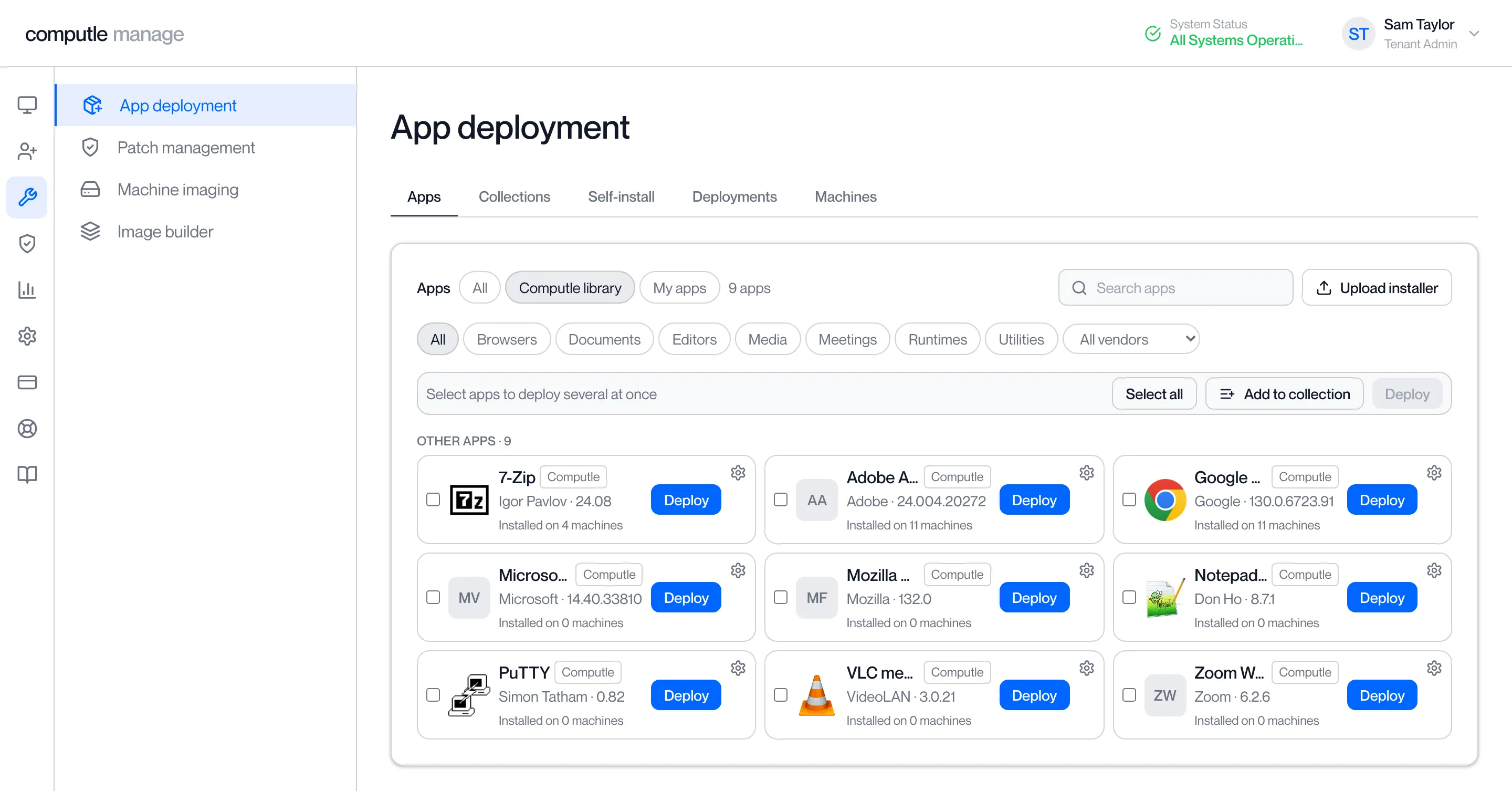
Section titled “Find the app”Open Manage → App deployment, then select Computle library above the apps. Search by name or vendor, or use the category and vendor filters. Apps from the library have a Computle label.
Choose the workstations
Section titled “Choose the workstations”Select the app to inspect it, or select Deploy on its card. Tick the target workstations, then select the install control. The app’s licence requirements still apply; complete the licence confirmation when shown.
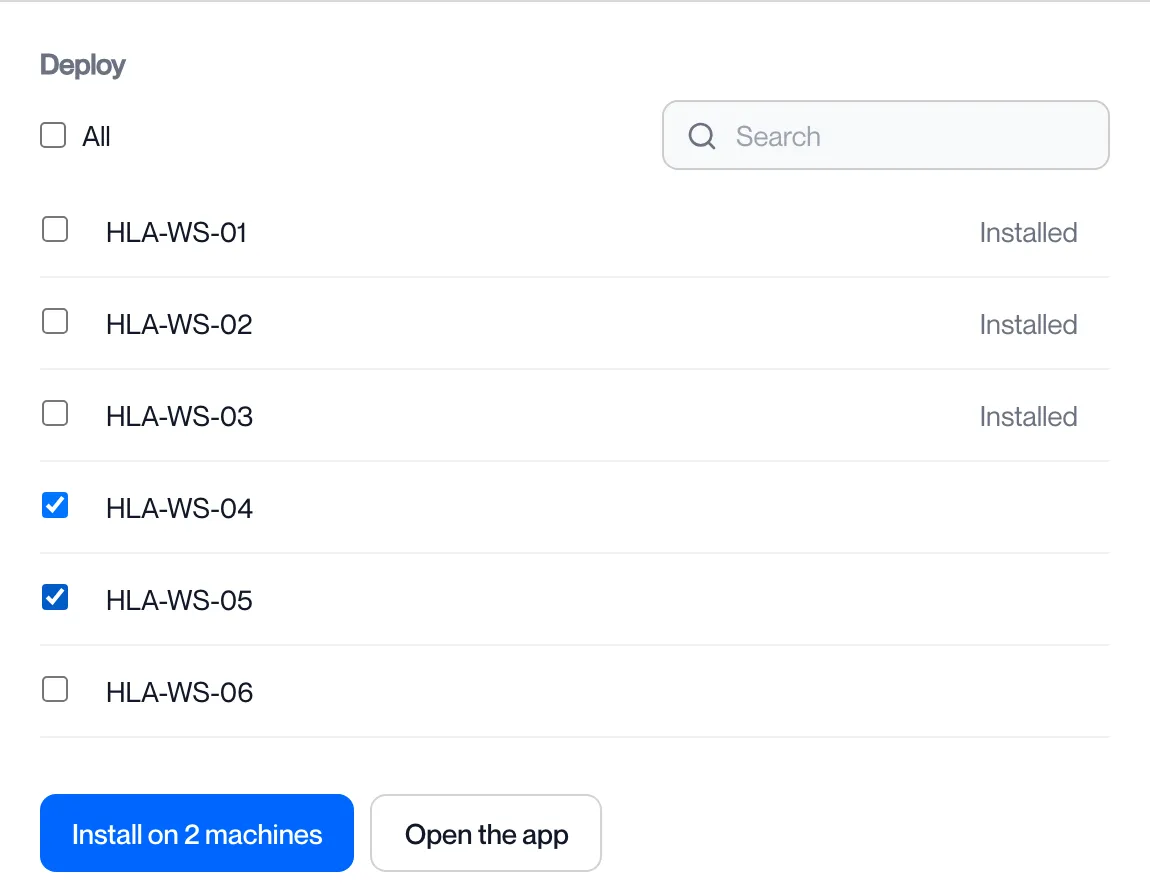
For several apps, tick their cards and use Deploy in the selection bar. You can also add selected apps to a collection for a repeatable deployment.
Check the result
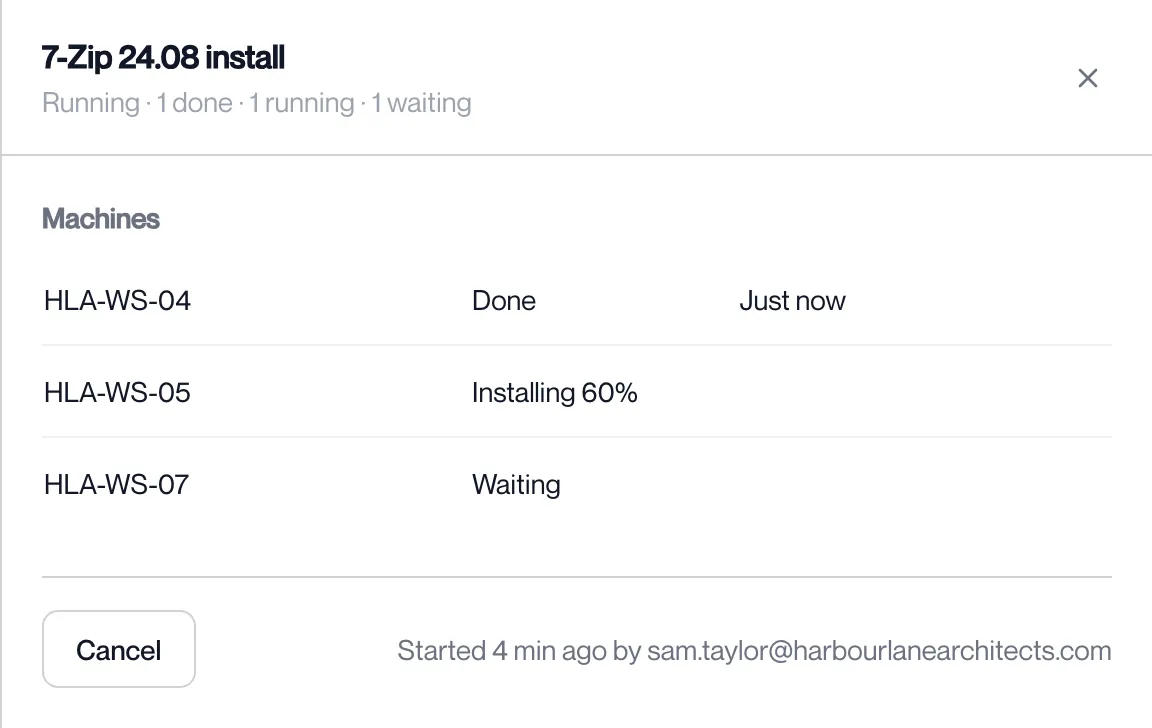
Section titled “Check the result”Open Deployments and select the deployment. Each machine shows its result or progress. If a file needs fetching first, the portal displays the preparation state before the installation starts.
For a new workstation build, the Image builder also lets you choose supported apps while preparing the image. To let users choose their own approved installations, configure App Library.