Security
Security
The Security area shows alerts from workstation events and the software updates needed to address published vulnerabilities. You need the Tenant Admin role. The pages shown depend on your organisation’s enabled modules.
Check what needs attention
Section titled “Check what needs attention”-
Open Security in the Computle Portal.
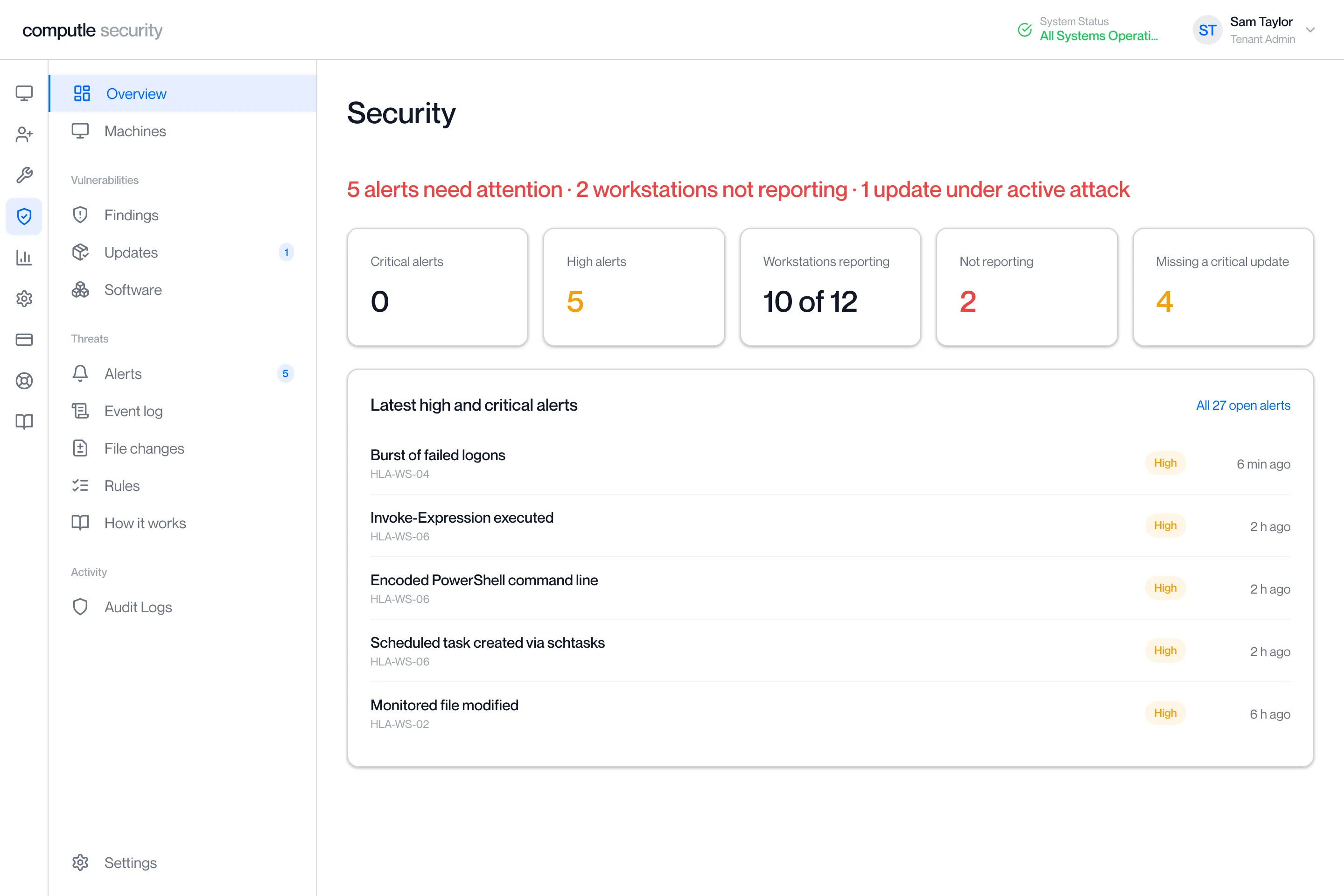
Select the shield in the portal’s left-hand rail. The Security menu opens beside it.
-
Select a count to open its list.
Count Opens Critical alerts Open Critical alerts. High alerts Open High alerts. Workstations reporting The Machines list. Not reporting Machines whose security agents are late or silent. Missing a critical update Machines with an open Critical vulnerability finding. The page also lists the latest High and Critical alerts. Select an alert to read its explanation and the events behind it.
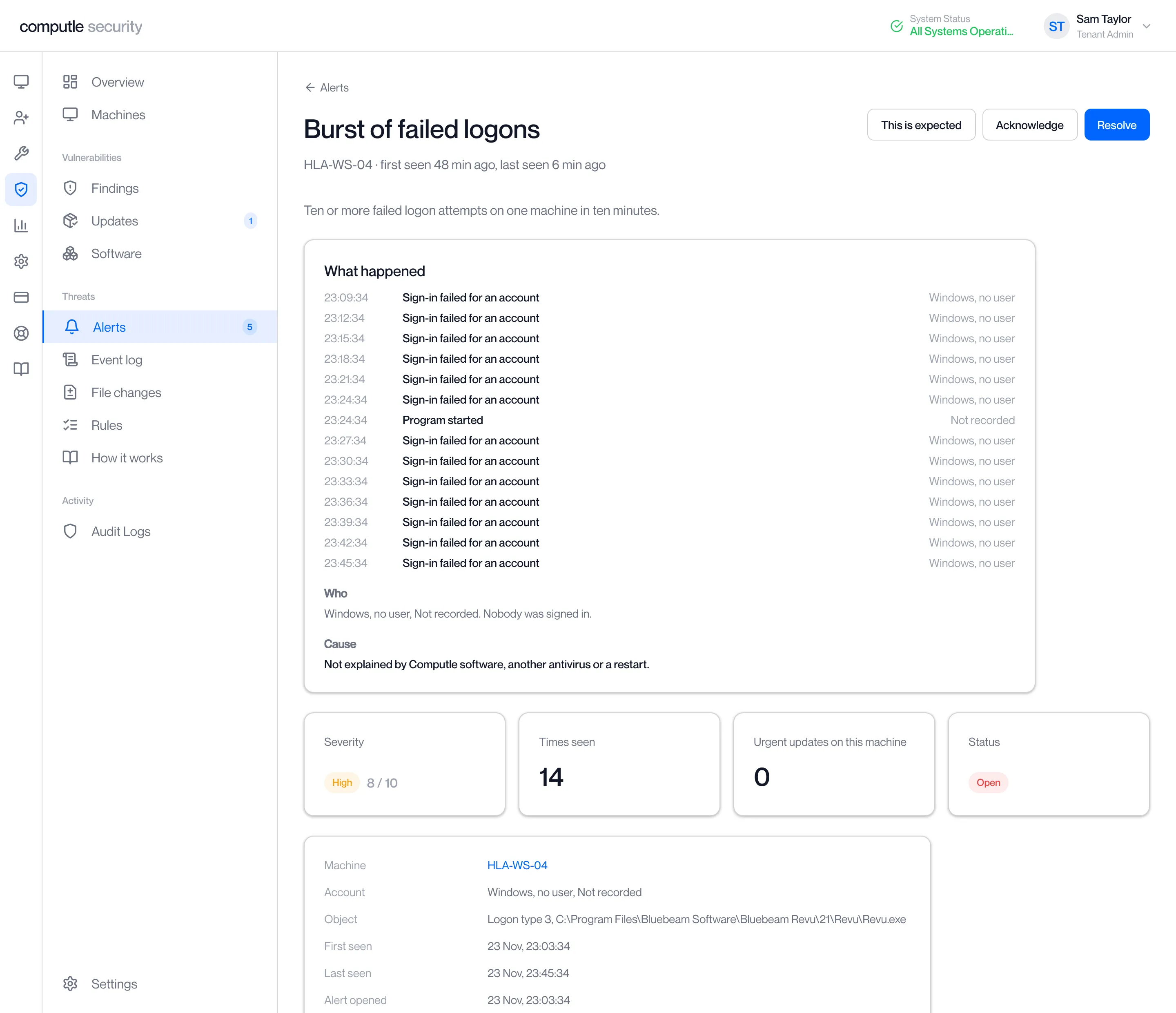
-
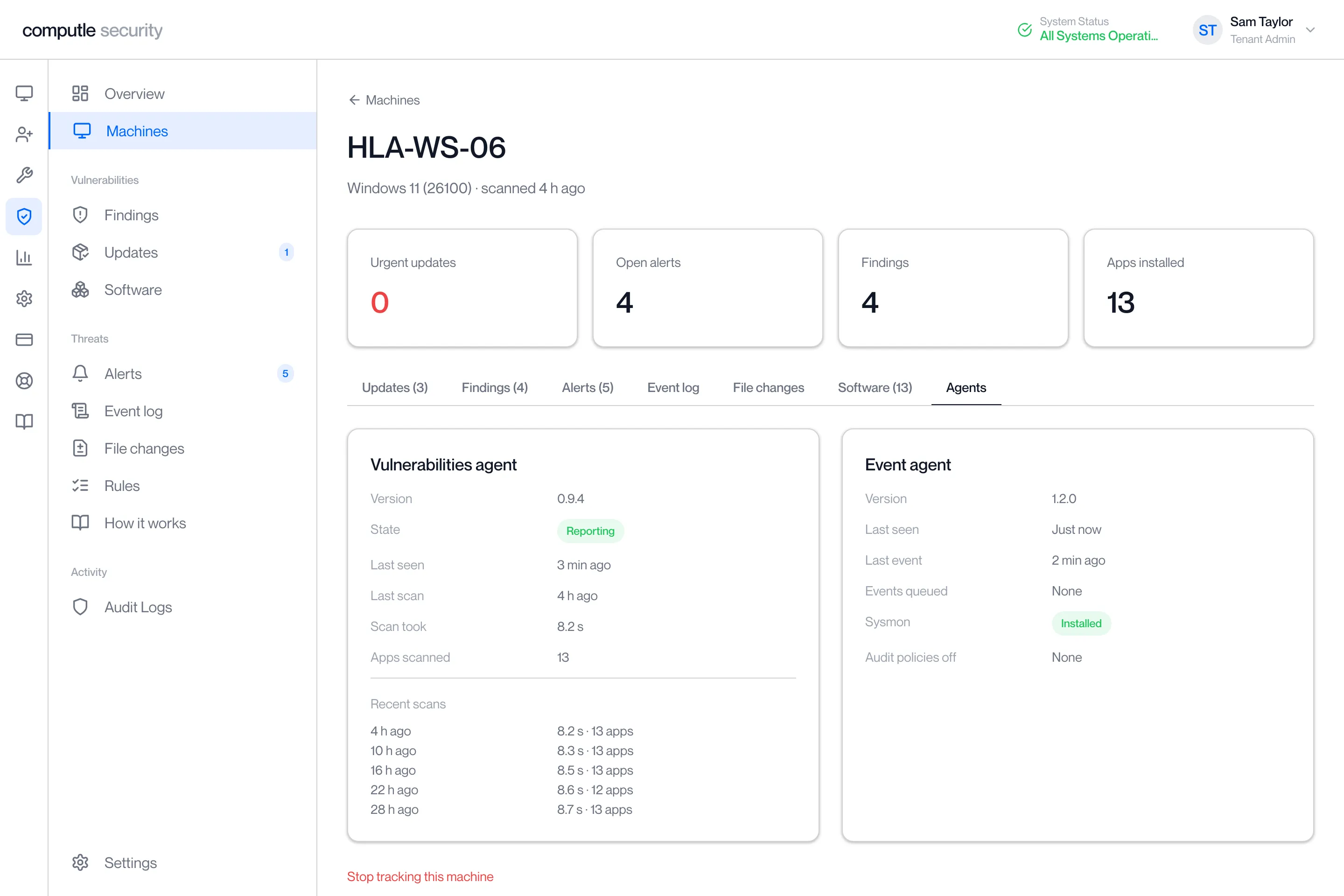
Check machines that are not reporting.
Open the machine, then select Agents to see its last report and any event-collection gaps.
The Security menu
Section titled “The Security menu”| Page | Use it to |
|---|---|
| Machines | Check a workstation’s updates, alerts and agents. |
| Findings | Investigate individual published vulnerabilities. |
| Updates | See which software versions need updating and which machines are affected. |
| Software | Search the reported software inventory. |
| Alerts | Investigate, acknowledge and resolve threat alerts. |
| Event log | Find Windows events by account, machine, channel or event ID. |
| File changes | Review file changes and choose watched folders. |
| Rules | Review the recommended rules or customise them. |
| How it works | Understand how workstation events become alerts. |
| Audit Logs | Review portal activity when Audit Logs is enabled. |
| Settings | Choose collected channels, notifications and security roles. |
Findings, Updates and Software require vulnerability tracking. Alerts, Event log, File changes, Rules and How it works require threat detection. Overview, Machines and Settings are available with either module.