Deploy apps
Let users install approved apps
Use App Library when you want people to choose from your approved software. As an administrator, you control the offered apps, the people who can install them and whether each request needs approval.
For the people using the workstation, share Install apps on your workstation: the end-user guide to opening Computle App Library and installing, updating or removing software.
Choose what people can install
Section titled “Choose what people can install”-
Open Manage → App deployment and select the app.
You can choose a Computle library app, one of your uploads or a collection.
-
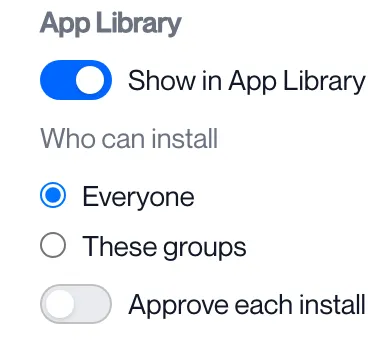
Set Show in App Library.
Turn it on to offer the item, or off to hide it. Under Who can install, choose Everyone or These groups. Turn on Approve each install when requests need review. Changes save as you make them.
Review installation requests
Section titled “Review installation requests”Open Self-install in App deployment. Review the offered items and the Waiting for approval list. Select Approve to start an approved installation, or Decline to reject the request.
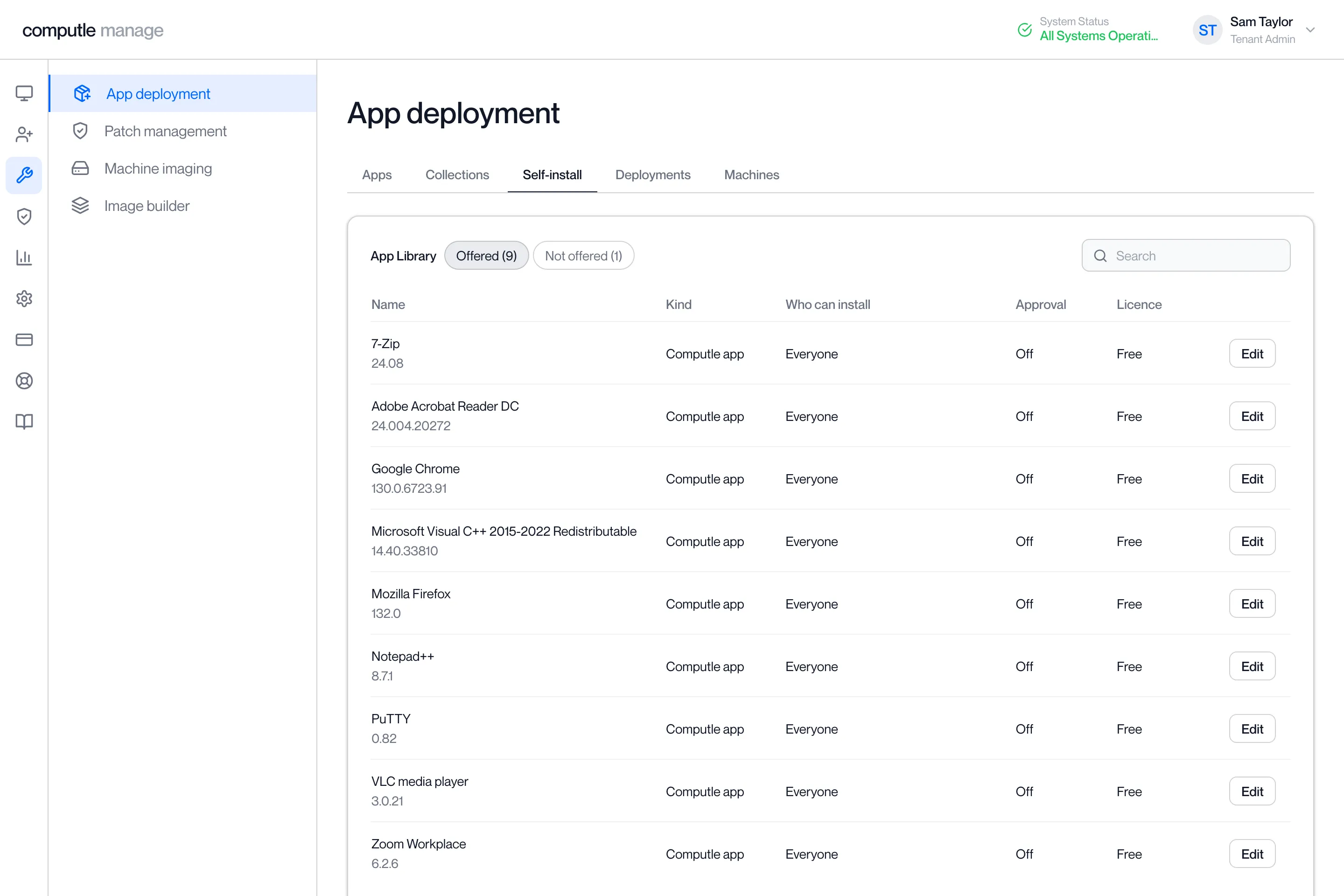
If the page says App Library is off for the organisation, follow the Client settings link shown there. Library availability depends on the service enabled for your organisation.
For a central installation to machines you choose, use Install apps on your workstations. To set shortcuts for deployed software, see App deployment shortcuts.