Security
Alert notifications
Tenant Admins can configure notifications when threat detection is enabled.
Set notification delivery
Section titled “Set notification delivery”-
Open Security, then Settings and Notifications.
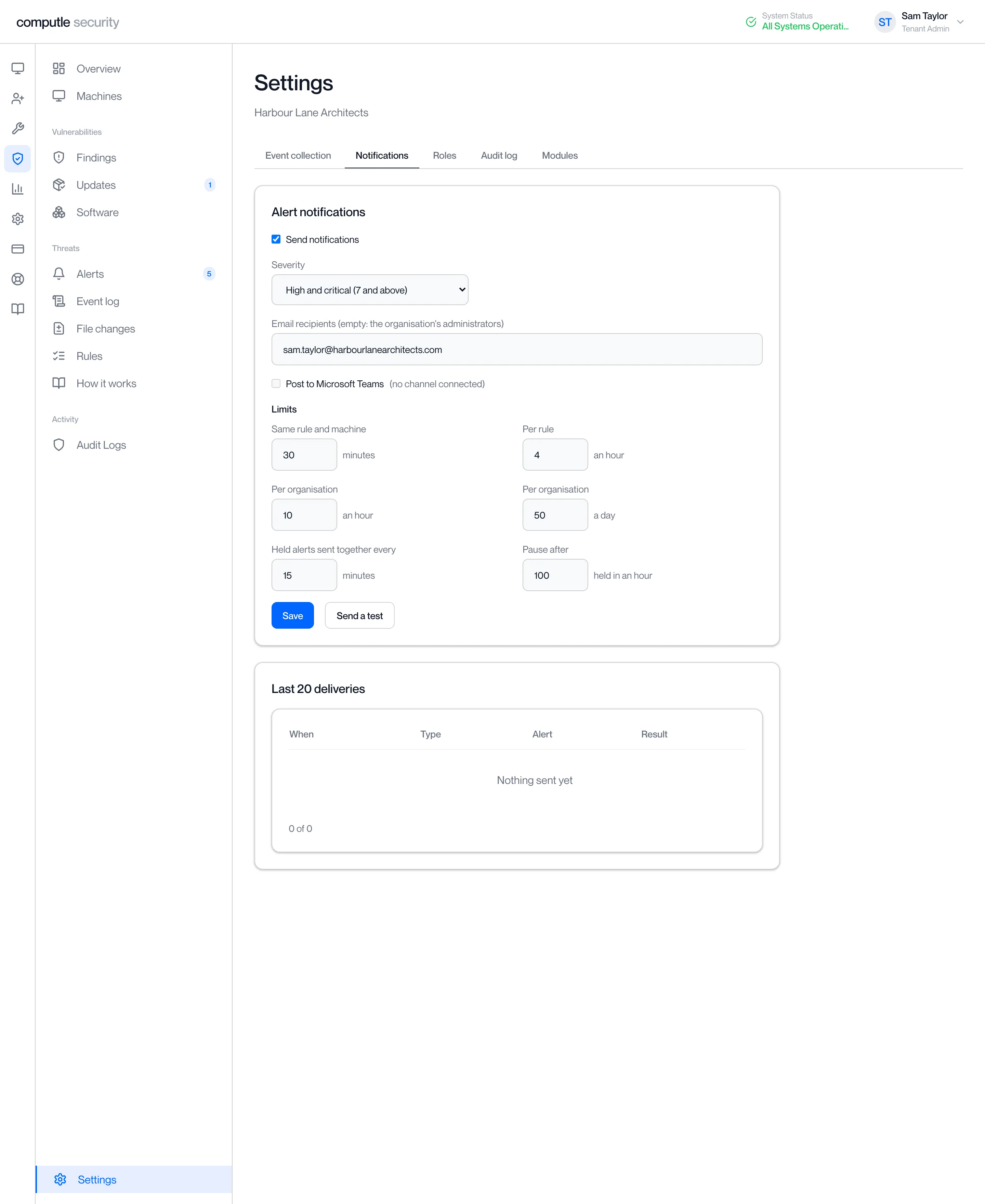
Tick Send notifications and choose the minimum severity. The available choices range from High and critical (7 and above) to 10 only.
-
Enter the email recipients.
Separate addresses with commas, spaces or semicolons. Leave the field empty to use your organisation’s administrators. Post to Microsoft Teams is available when a channel is connected.
-
Review Limits, then select Save.
Limits control repeated notifications for the same rule and machine, messages per rule and organisation, and how often held alerts are sent together. Pause after controls when delivery is paused because too many alerts have been held.
-
Select Send a test.
Last 20 deliveries lists test messages and alert delivery results. Check the result and the intended destination. A paused or held message is shown in this section when applicable.