Billing & Reports
Application usage
Application usage reports recorded app use across your organisation. It is available when usage reporting is enabled for your organisation.
Read a report
Section titled “Read a report”-
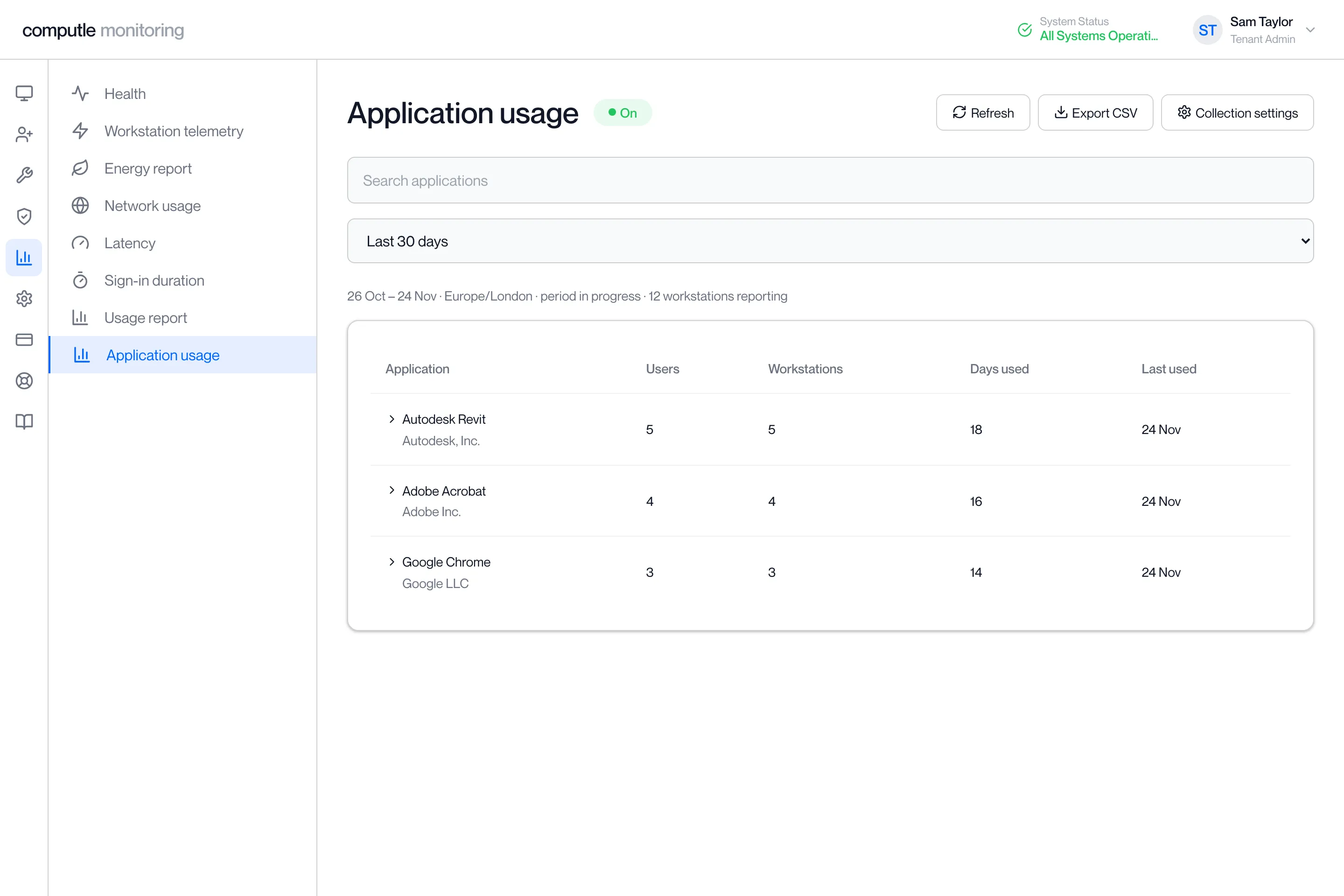
Open Monitoring in the portal rail, then select Application usage.
Choose Last 30 days or an available calendar month. Search by application or publisher. The line above the table shows the date range, timezone and reporting workstations.
-
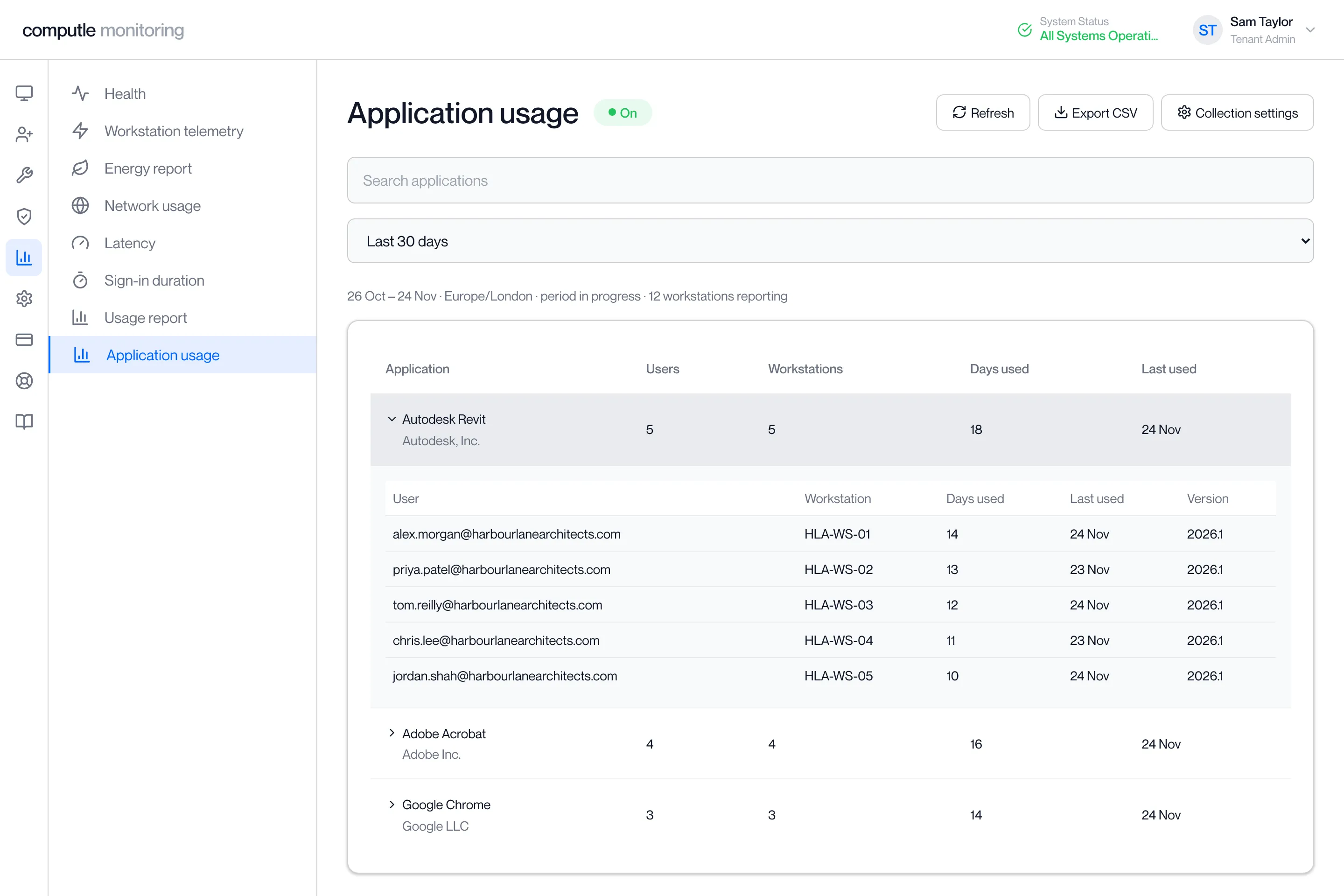
Select an application.
The expanded rows show the users and workstations, days used, last-used date and reported versions.
-
Select Export CSV to download the selected period.
Period in progress means the reporting period has not finished.
Choose collection settings
Section titled “Choose collection settings”-
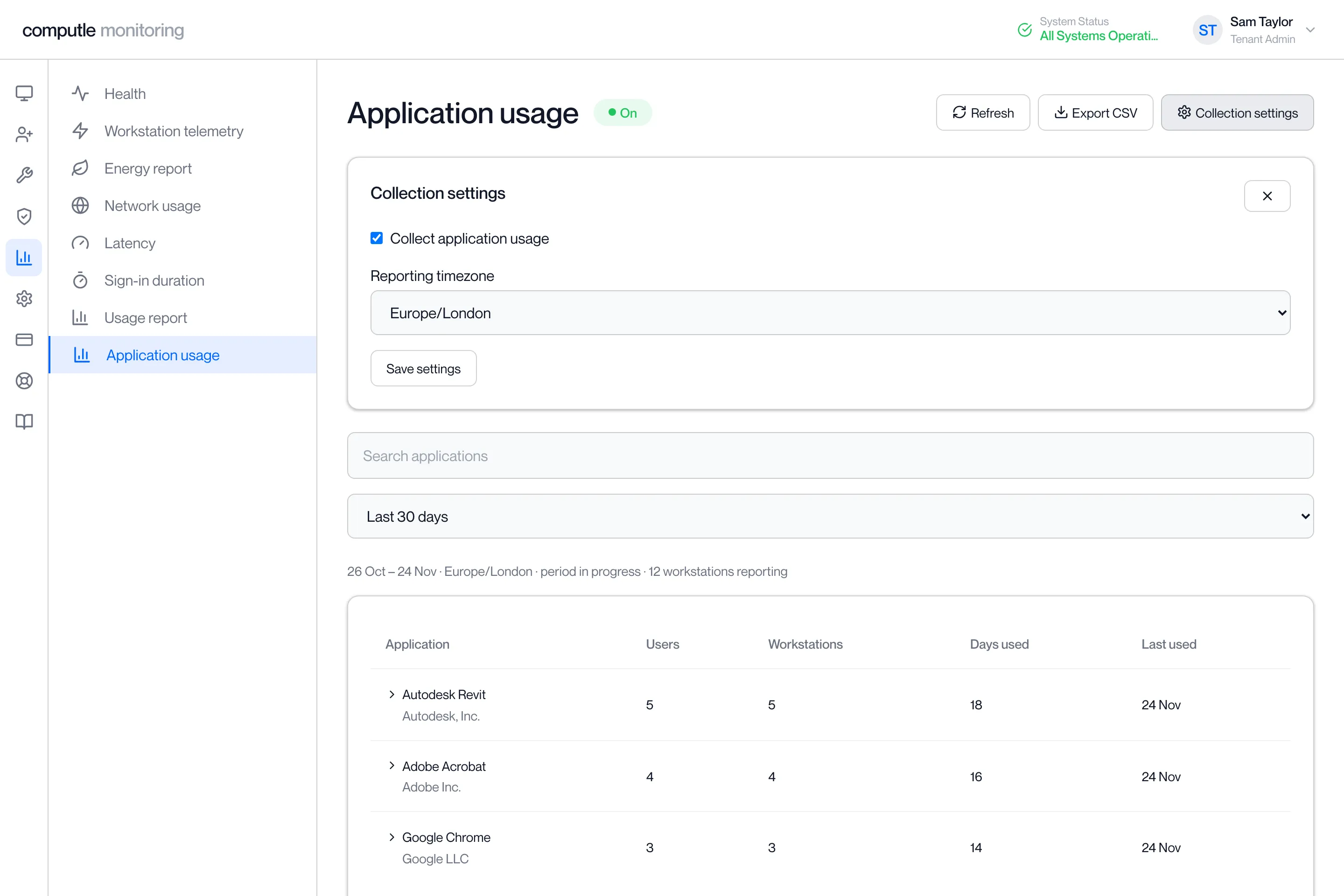
Select Collection settings.
Tick Collect application usage to enable collection, or clear it to turn collection off. Choose Europe/London or UTC as the reporting timezone.
-
Select Save settings.
When collection is off, the page says Application usage is off. No workstations reporting yet means no workstation reports are available for the selected view.
For total workstation-use reporting, see Usage report.