Security
Event log
Event log searches the Windows events collected by threat detection.
Find an event
Section titled “Find an event”-
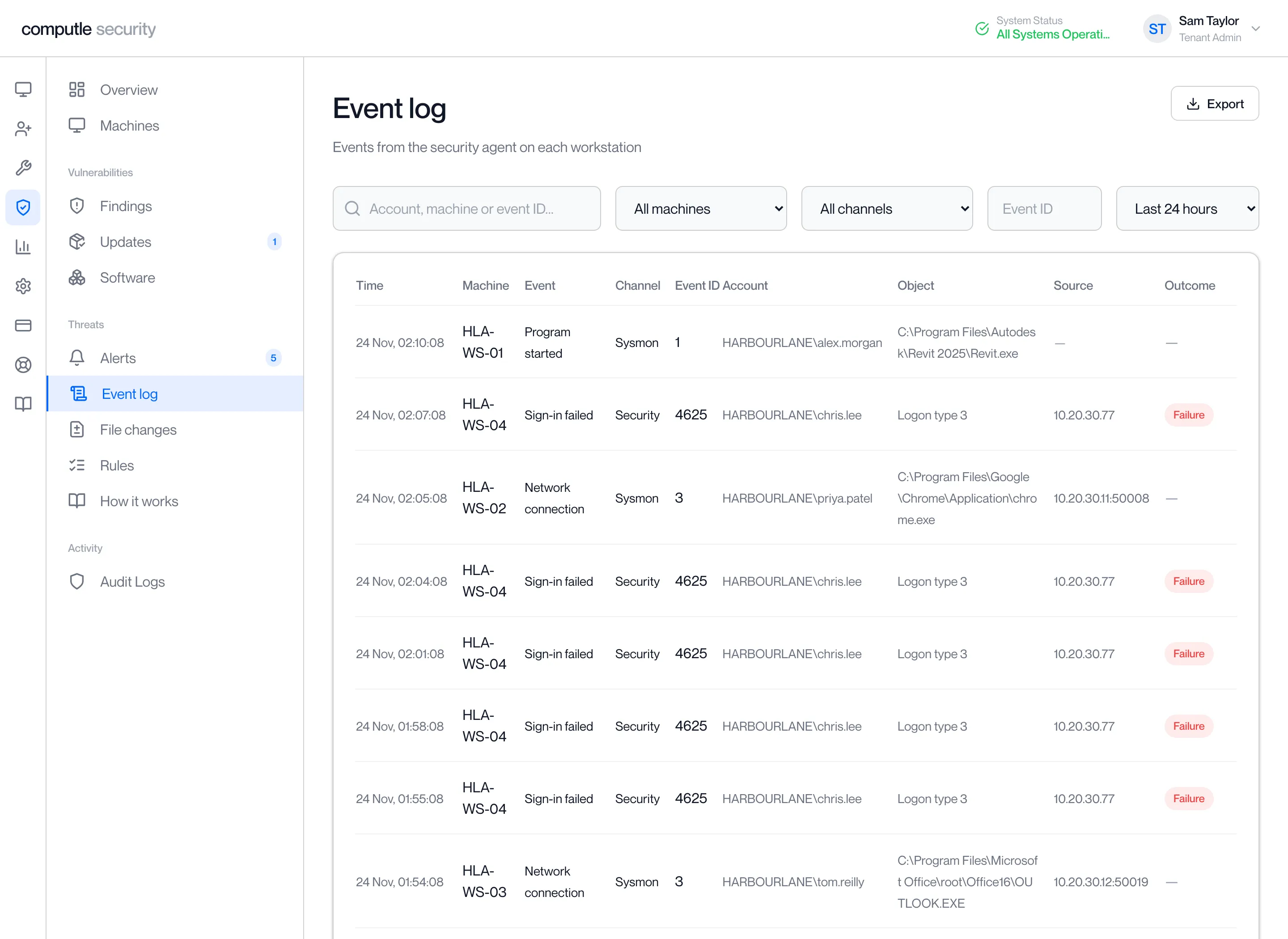
Open Event log in the Security menu.
Enter a search term, choose a machine or channel, enter an Event ID, or change the period. Events are listed newest first.
-
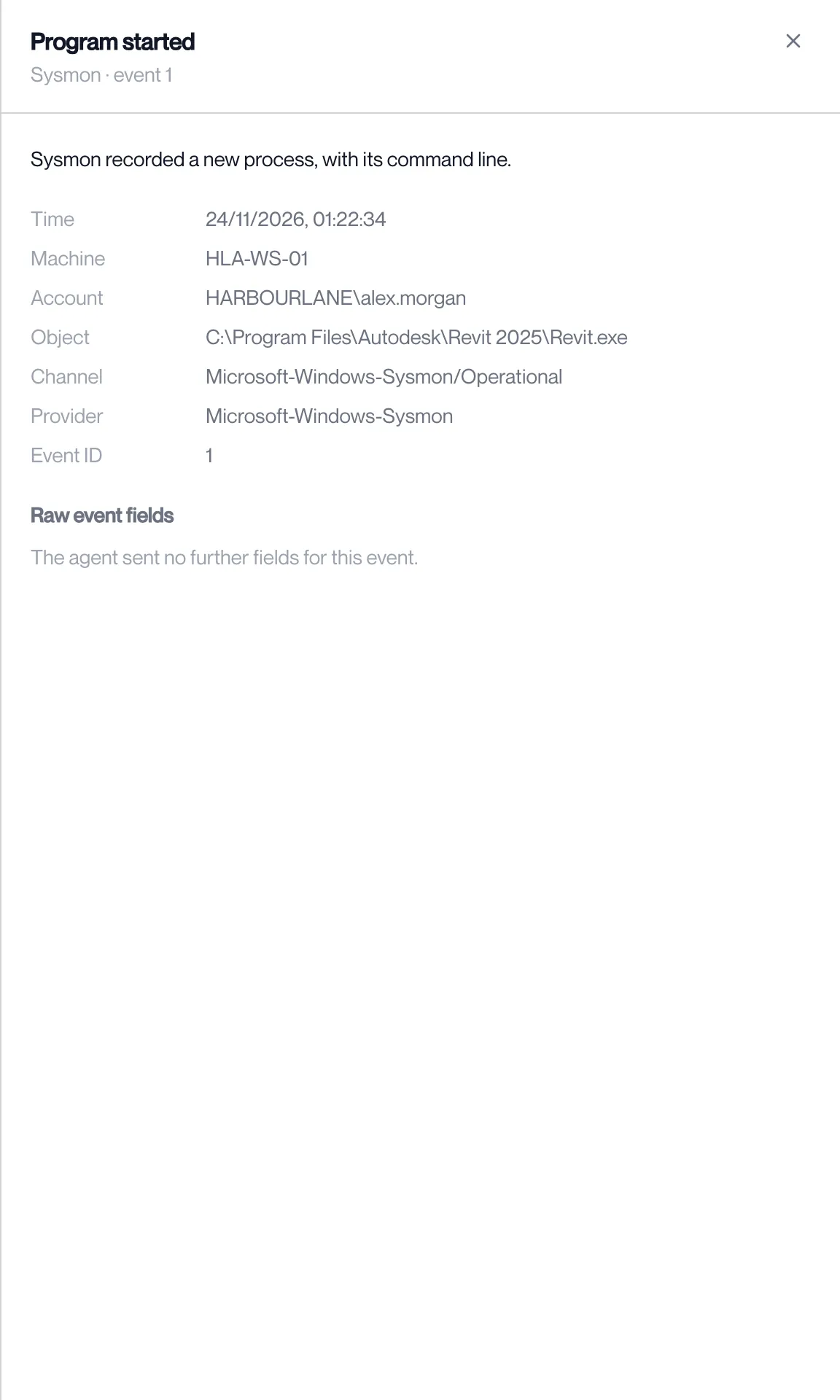
Select an event to inspect its details.
Read the event’s explanation and the fields recorded by Windows. The Account, Object and Source columns help identify the activity. A dash means that value was not recorded for the event.
For a single alert’s matching events, open its Events tab under Alerts. For sign-in records from the portal and workstations together, use Sign-ins.
Choose what is collected
Section titled “Choose what is collected”Administrators can add or remove collected channels under Security settings. The machine’s Agents tab shows collection gaps reported by its agent.