Security
Updates
Updates groups vulnerability findings by software update. You need vulnerability tracking enabled for your organisation.
Find an update
Section titled “Find an update”-
Open Updates in the Security menu.
Search by app or publisher. Filter to Urgent, Critical or No fix yet. Select Export to download the filtered rows.
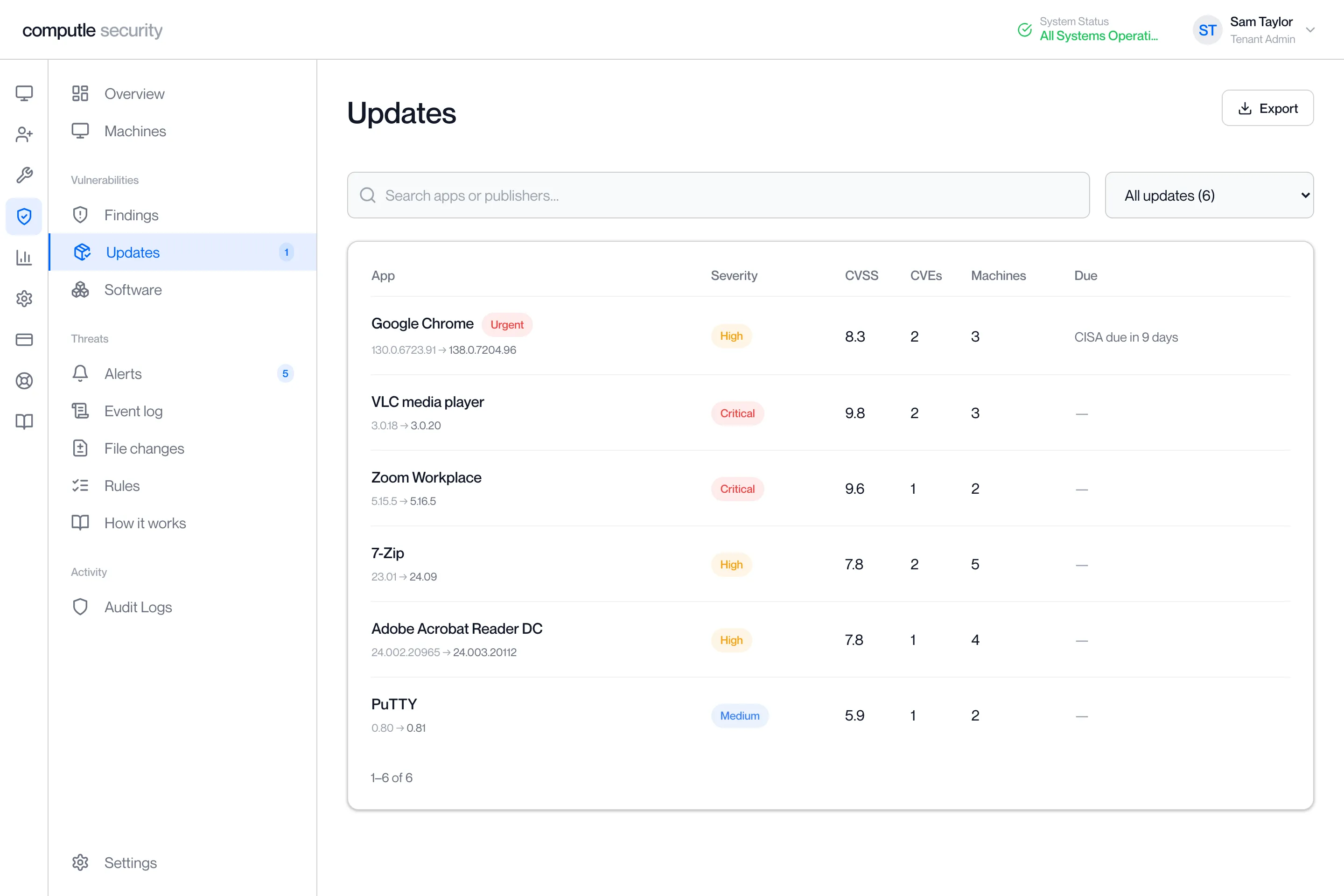
Urgent marks software with a vulnerability in the Known Exploited Vulnerabilities catalogue. No fix yet means a fixed version is not recorded for that update.
-
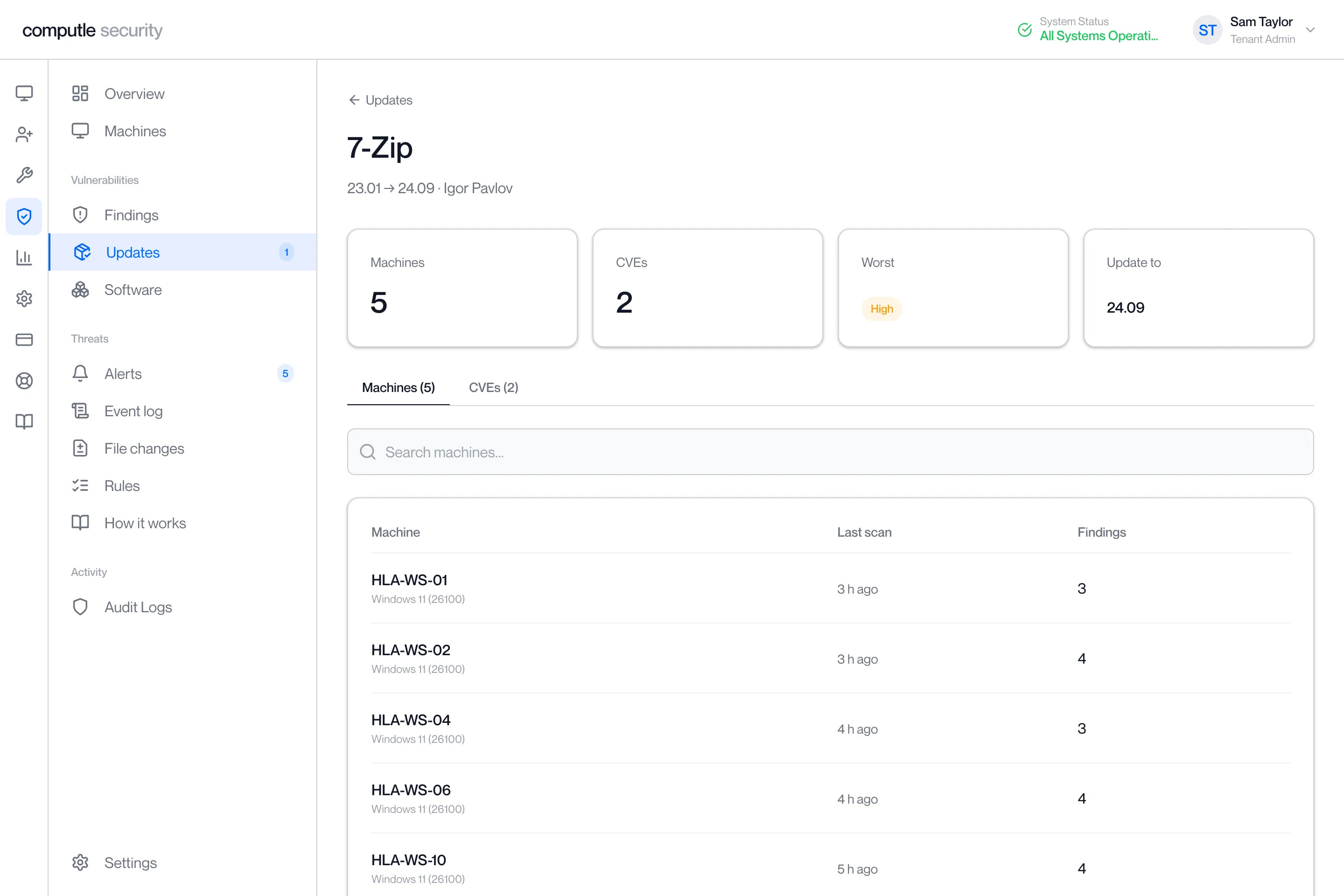
Select the update.
Machines lists the workstations affected. Select a machine to open its Security page.
-
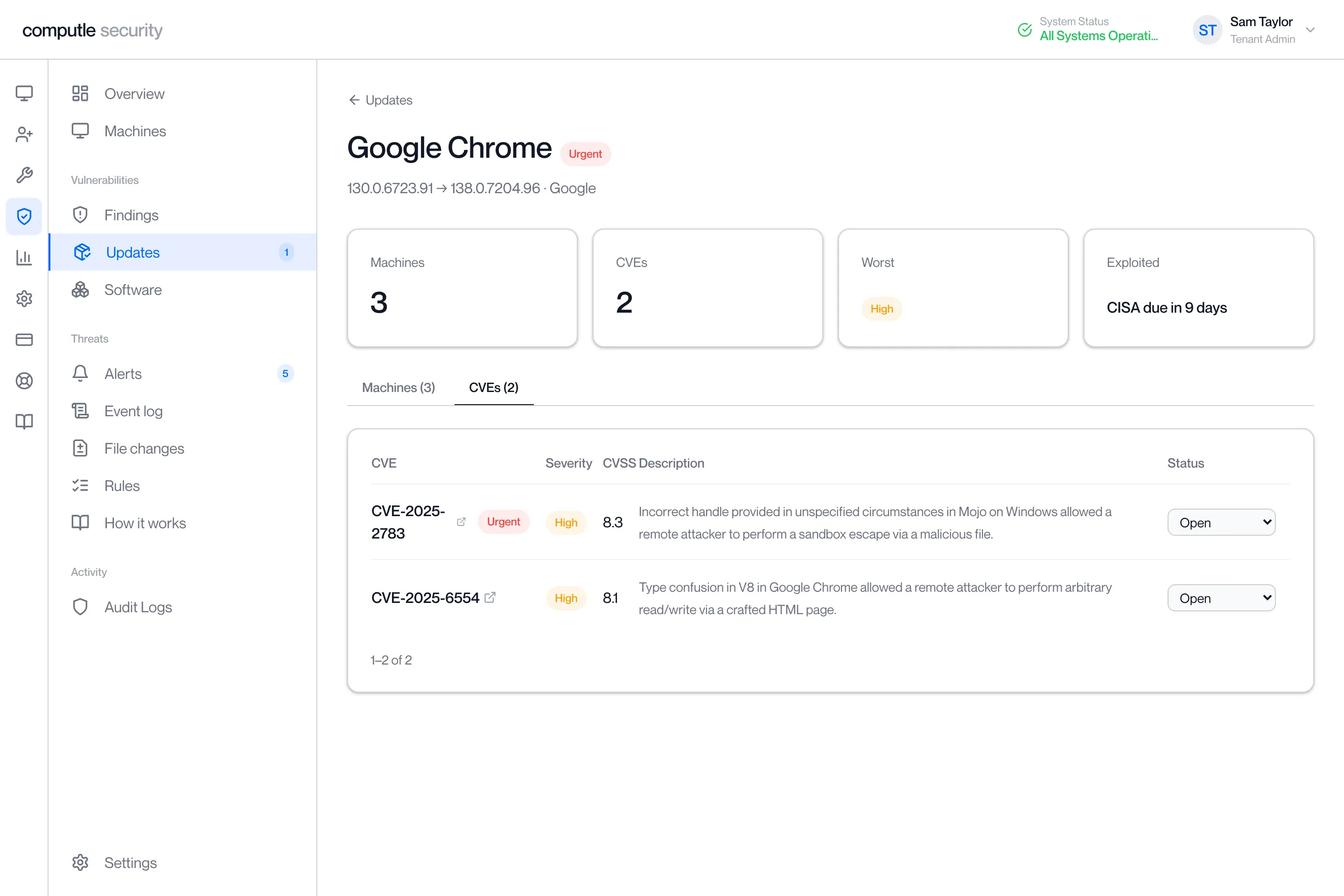
Open CVEs to inspect the findings.
Check the severity, fixed version and status. Use the Status list when recording how a finding has been handled.
Apply an update
Section titled “Apply an update”This page identifies the required update. Use your organisation’s software-update process to install it. See App deployment and Patch Management for the controls available with those services.