Users & Sign-in
Sign-ins
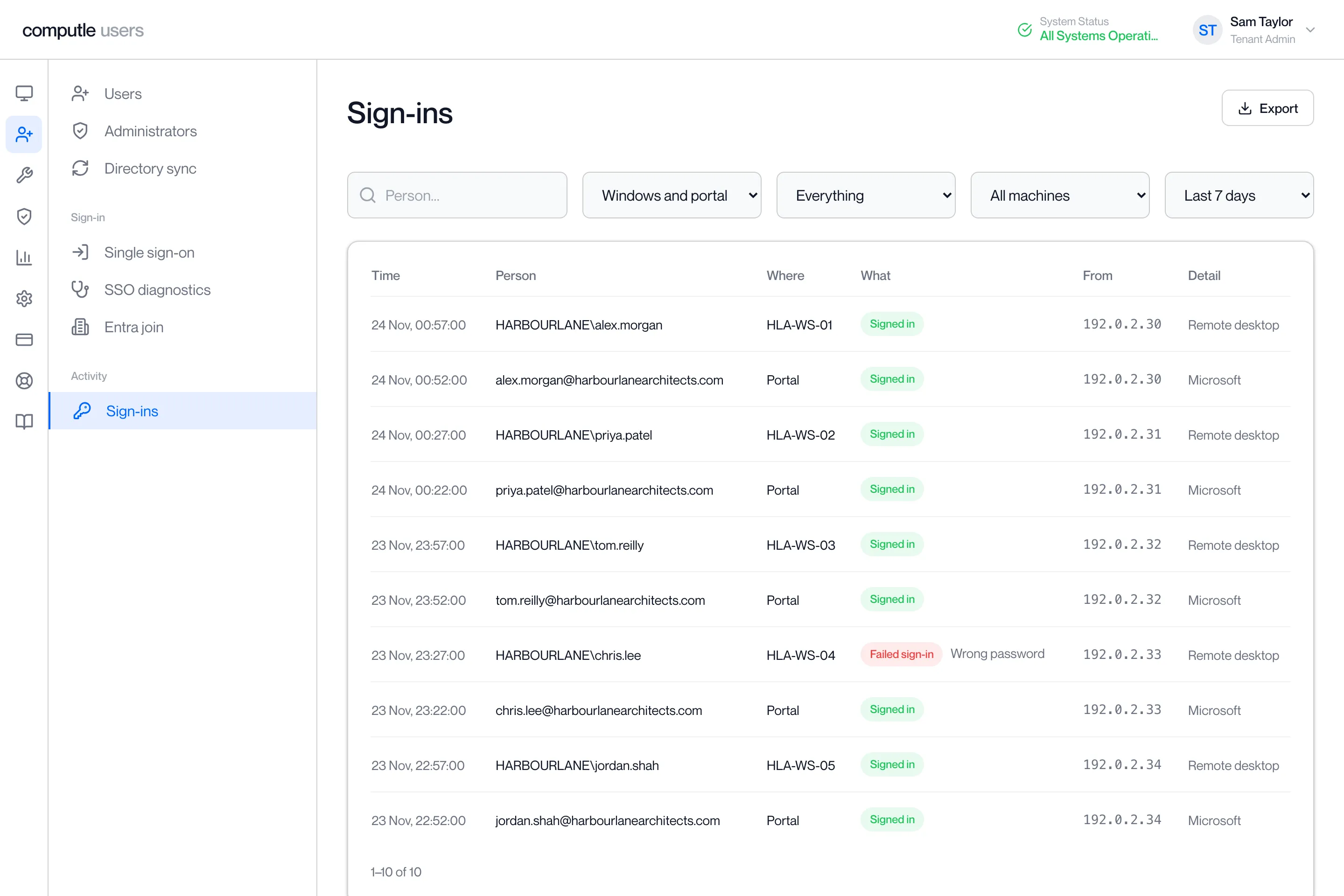
Sign-ins brings portal and workstation sign-in records into one list. Windows records are available when the relevant workstation reporting is enabled.
Find a sign-in
Section titled “Find a sign-in”-
Open Users in the portal rail, then select Sign-ins.
The list shows the time, person, location, activity, source address and available detail.
-
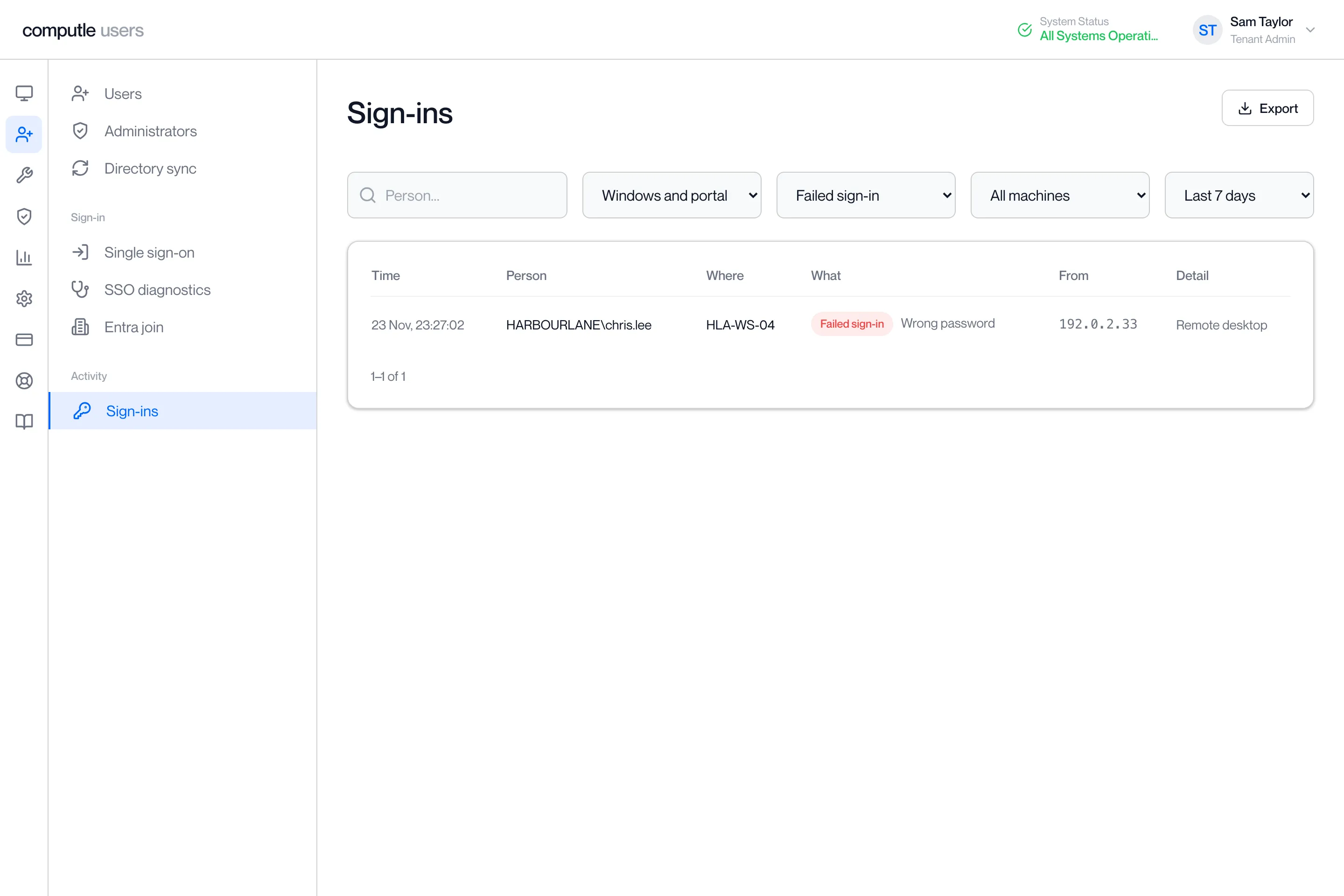
Enter the person or choose a filter.
Source selects Windows, Portal or both. What selects the activity, such as Failed sign-in or Locked out. Use Machine to narrow workstation records, and Period to change the date range.
-
Read What and Detail for the matching record.
A failed Windows sign-in can include the reason Windows reported. Portal rows identify the sign-in method. A dash means no value was recorded for that field.
-
Select Export if you need the displayed records.
The CSV contains the rows on the current page. Use the page arrows to view further records when available.
Related records
Section titled “Related records”Use Sign-in duration to investigate how long Windows takes to reach a usable desktop. Use the Security Event log for the underlying collected Windows events.