Security
Security roles
Security roles group people for expected-behaviour exceptions. Portal access permissions are managed separately under Users.
Create and assign a role
Section titled “Create and assign a role”-
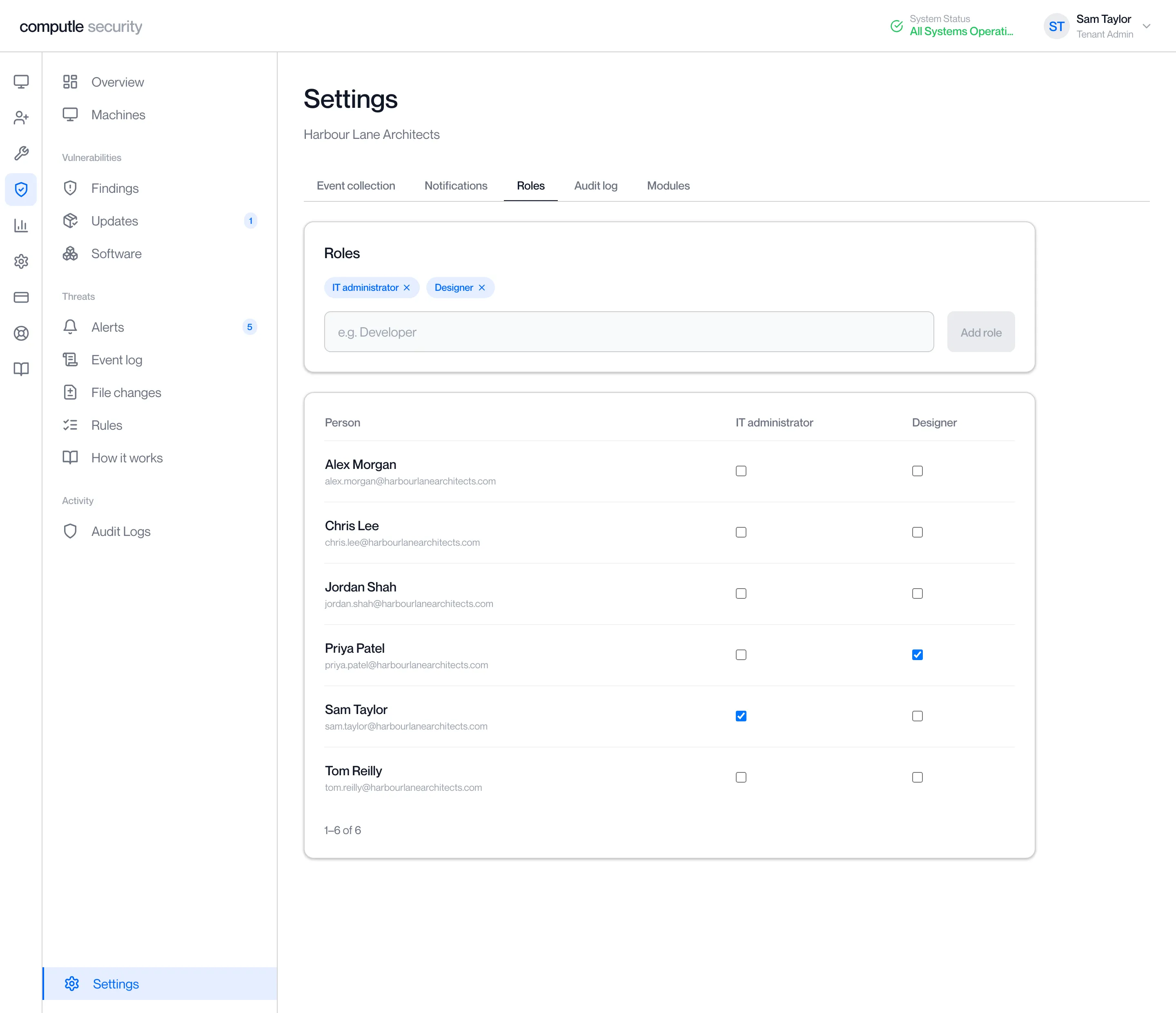
Open Security, then Settings and Roles.
Enter the role name and select Add role.
-
Tick the role beside each person it applies to.
Changes save when you tick or clear a box. A person can belong to more than one security role.
-
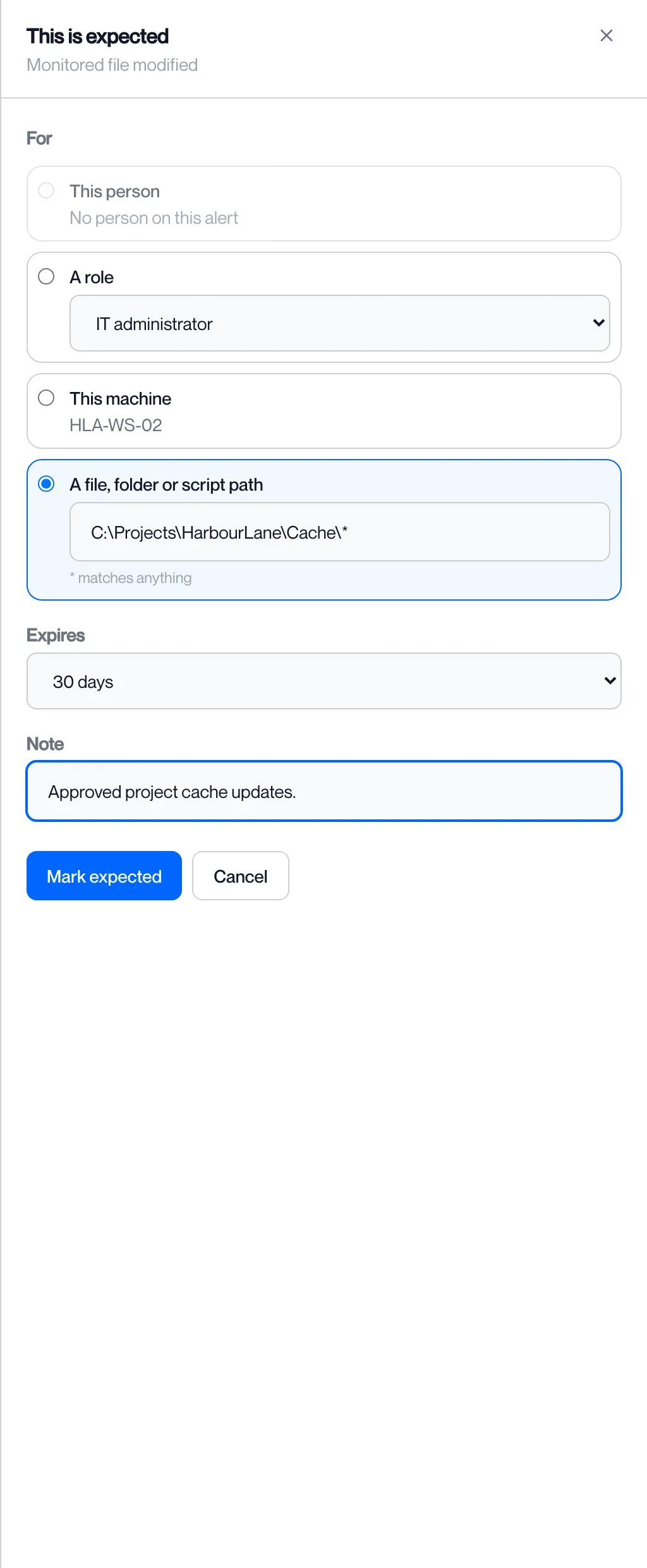
Choose the role when marking an alert expected.
Open This is expected on an eligible alert and select A role.
To remove a role, use the remove control beside its name on the Roles tab.